Running in the morning has always been one of my favorite ways to start the day. There is something refreshing about putting on your shoes, stepping outside, breathing in the fresh air, and simply moving.
But when you exercise regularly, it can also be helpful to know more about what you’re actually doing.
How far did I run?
How long did I exercise?
How many steps did I take?
What was my average pace?
How consistent have I been?
That’s where Samsung Health became useful for me.
Samsung Health is Samsung’s health and wellness platform for tracking areas such as activity, exercise, sleep, nutrition, mindfulness, and various health measurements. Its current version has expanded considerably from the simple activity tracker I originally used, with Samsung now offering personalized insights and guidance alongside connected Galaxy devices.
When I originally wrote this article, I was using Samsung Health mainly to monitor my morning runs, walking, steps, sleep, and other daily activities. Looking back, it was one of those apps that started as something I casually checked and eventually became part of my routine.
So, here’s my personal experience with how Samsung Health helped me stay motivated and keep track of my daily morning runs.
Note: Samsung Health has changed significantly since I first used it, so some screenshots, menus, features, and workout options mentioned below reflect my experience at the time and may look different in the current version.
What Is Samsung Health?
Samsung Health is a health and wellness app developed by Samsung.
Today, it provides a connected view of areas such as activity, sleep, nutrition, mindfulness, and vital signs/heart health, with personalized guidance and insights available through compatible devices.
When I first discovered the app, I initially thought it was simply another step counter.
I was wrong.
It could track much more than steps.
Depending on the device and features available at the time, I could record things such as:
- Steps
- Exercise
- Running
- Walking
- Calories
- Weight
- Sleep
- Heart rate
- Stress
- Water intake
- Caffeine intake
- Blood pressure
- Nutrition
Today, the platform has expanded even further, including features such as sleep coaching, body-composition tracking, mindfulness tools, health-data sharing, and additional personalized insights through compatible Galaxy devices.
For me, however, the most useful feature was still very simple:
Running.
The Samsung Health Home Page
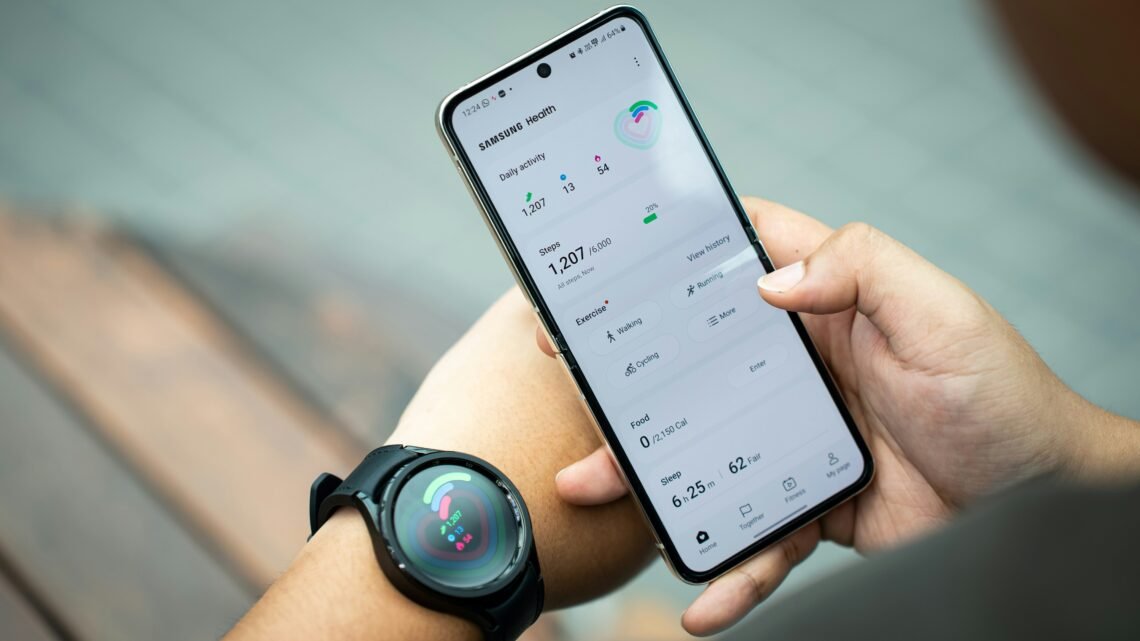
The Samsung Health home screen is where I started most of my tracking.
The layout has changed over time, but the basic idea remains the same: the app brings different aspects of your health and activity together in one place.
At first, I found all the information slightly overwhelming.
But after using it regularly, I became familiar with the different sections and started checking the things that mattered most to me.
1. Step Tracking
The first thing I usually noticed was the step tracker.
For example, on one particular day, my app showed that I had completed 7,209 steps, exceeding my personal goal of 6,000 steps.
That goal was customizable, so I could adjust it depending on my routine.
During quarantine, my number of daily steps was significantly lower because I was spending much more time at home.
Normally, however, my step count could easily go above 10,000 steps on working days.
Part of the reason was my commute.
I used public transportation, and the journey to work itself involved quite a bit of walking.
Samsung Health made it easy for me to see my activity over different periods and understand how consistent I was.
The current app continues to include activity tracking and weekly summaries, although the exact presentation and features depend on the device and software version.
2. Active Time
Another section I liked was Active Time.
It gave me an overview of how much time I spent physically active throughout the day.
I could see information related to:
- Activity duration
- Distance
- Calories burned
- Different types of activity
For someone trying to become more active, this type of information can be encouraging.
Sometimes we feel that we’ve been moving all day, but when we actually look at the numbers, we realize that we’ve spent most of the day sitting.
The opposite can also happen.
You may think you’ve barely moved, only to discover that you’ve actually accumulated a decent amount of activity.
That’s why I liked having the numbers available.
3. Exercise Tracking: My Favorite Part
And this, my dear friends, is the feature I enjoyed the most.
Running.
Running became my regular morning workout, especially when the gym was closed during quarantine.
Instead of thinking about not being able to go to the gym, I decided to take my workout outside.
Samsung Health helped me record the sessions and gave me something tangible to look back on afterward.
Depending on the version and connected device, Samsung Health can support many types of exercise and activity tracking, including running, walking, cycling, swimming, hiking, strength activities, and more.
The exercise options available on my app at the time could be customized, allowing me to put my preferred workouts where I could easily access them.
My 30-Day Exercise History
And please don’t judge me! 😂
As I mentioned, I wasn’t nearly as active during quarantine as I had been before.
But when I looked at my exercise history over a 30-day period, I could see my walking and running sessions clearly.
The app recorded things such as:
- Workout duration
- Distance
- Calories burned
- Average pace or speed
- Date and time
- Route or location, when enabled
That was one of the things I liked most about the app.
Instead of simply saying:
“I went running this morning.”
I could actually look back and see what I accomplished.
4. Food Tracking
Samsung Health also included a Food section where meals could be recorded.
At the time, I wasn’t particularly consistent with tracking my food intake, so unfortunately I didn’t have much data to share.
The idea was simple, though.
You could record:
- Breakfast
- Lunch
- Dinner
- Morning snacks
- Afternoon snacks
- Evening snacks
Today, Samsung Health also provides nutrition-related tools and features that can help users understand their overall eating patterns.
Personally, I found exercise tracking much easier to maintain than food logging.
Maybe because running feels more fun than manually entering everything I eat! 😂
5. Sleep Tracking
Another feature I really liked was Sleep.
Sleep has always been important to me, especially when I was working full-time.
I tried to get around eight hours of sleep each night, including during quarantine.
At the time, I usually went to bed around 10:30 p.m. and woke up after 6:30 a.m., which gave me enough time to prepare for my morning run.
My Samsung wearable helped automatically monitor my sleep based on movement and other available measurements.
Samsung Health’s sleep features have become much more advanced since then. Current Samsung Health can work with Galaxy Watch and Galaxy Ring devices to track sleep and provide sleep-related insights and coaching.
For me, though, the simple sleep record was already useful.
Seeing my sleep pattern encouraged me to maintain a more consistent bedtime.
6. Weight Tracking
There was also a Weight section where I could manually enter my weight.
I called my measurements “unofficial” because I didn’t always have access to the same scale and wasn’t always certain that every measurement was perfectly accurate.
Still, tracking weight over time can be useful for seeing general trends.
The important thing is not to become obsessed with a single number.
What matters more is the bigger picture:
How are your habits changing over time?
Current Samsung Health can also integrate with compatible Galaxy devices to provide body-composition information such as weight, body-fat percentage, and skeletal muscle mass.
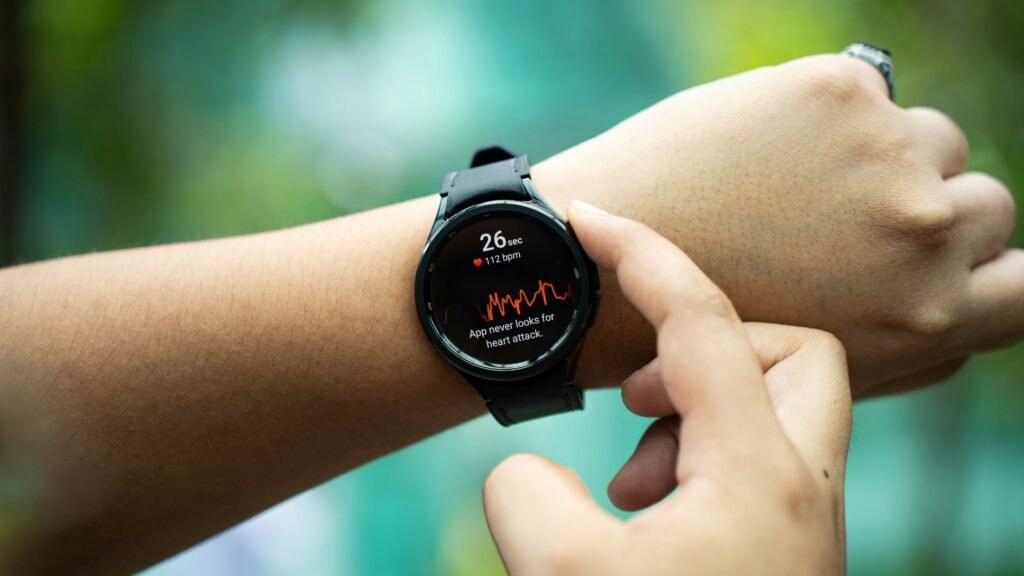
7. Heart Rate
Another interesting feature was Heart Rate.
At the time, I could measure my heart rate using my Samsung wearable, and my phone also supported heart-rate measurement through its sensor.
Today, Samsung recommends using compatible Galaxy Watch or Galaxy Ring devices for connected health tracking, while specific vital-sign features can depend on the model, region, and Samsung Health Monitor availability.
One important reminder:
Health apps and wearables are not replacements for professional medical assessment.
Samsung itself states that Samsung Health is intended for fitness and wellness purposes and isn’t intended to diagnose or treat disease.
8. Stress Tracking
The Stress section was another feature I found interesting.
During measurements, the app would guide me to remain still and relaxed.
Looking back, I found this feature more useful as a wellness prompt than as an exact measure of my emotional state.
Stress can change throughout the day depending on work, sleep, caffeine, activity, and many other factors.
Samsung Health’s current platform continues to include mindfulness and stress-related features, including guided breathing and meditation tools.
Sometimes, simply being reminded to pause and breathe is already helpful.
9. Water, Caffeine and Other Tracking
Samsung Health also allowed users to record things such as water and caffeine intake.
These were mostly manual entries, so it depended on me remembering to update them.
The idea was useful, especially if you were trying to become more aware of your daily habits.
Sometimes, the hardest part of healthy living isn’t knowing what you should do.
It’s remembering to actually do it.
Weekly Summaries
One feature I found especially useful was the weekly summary.
Instead of manually writing down everything I had done, I could simply review my activity inside the app.
This made it easier to see trends.
Had I exercised enough?
Was my activity increasing?
How many steps did I average?
Was I sleeping consistently?
Looking at a weekly summary gave me a clearer picture than looking at a single day.
Samsung Health continues to provide weekly, monthly, and yearly views of different health and activity measurements.
My Favorite Feature: The Running Coach
Now let’s get back to my favorite part.
Running.
Because my gym was closed during quarantine, I relied on outdoor running to stay active.
I would open Samsung Health, select Running, choose my workout goal, and begin.
At the time, the app offered different running and walking goals, including options based on:
Pace Target
- Light Walking Coach
- Brisk Walking Coach
- Light Jogging Coach
- Light Running Coach
- Power Walking Coach
- Calorie Burning Coach
- Endurance Jogging Coach
- Endurance Running Coach
- Speed Increasing Coach
- Speed Endurance Coach
There were also options based on:
- Distance
- Duration
- Calories burned
- Basic workout
I usually selected the Light Running Coach.
It was a comfortable option for my fitness level at the time.
Samsung Health Voice Coach
This was one of the reasons Samsung Health felt like a little workout companion to me.
Since I usually ran alone, having voice coaching was surprisingly motivating.
The app could provide audio cues during the workout, including information about your progress and pace, depending on the version and connected device.
Samsung has continued developing personalized coaching and guidance within Samsung Health, although the exact voice-coaching experience from my original version may no longer be identical.
For me, hearing a voice tell me to adjust my pace made the run feel more structured.
Sometimes, when I was already tired, that little reminder was enough to keep me moving.
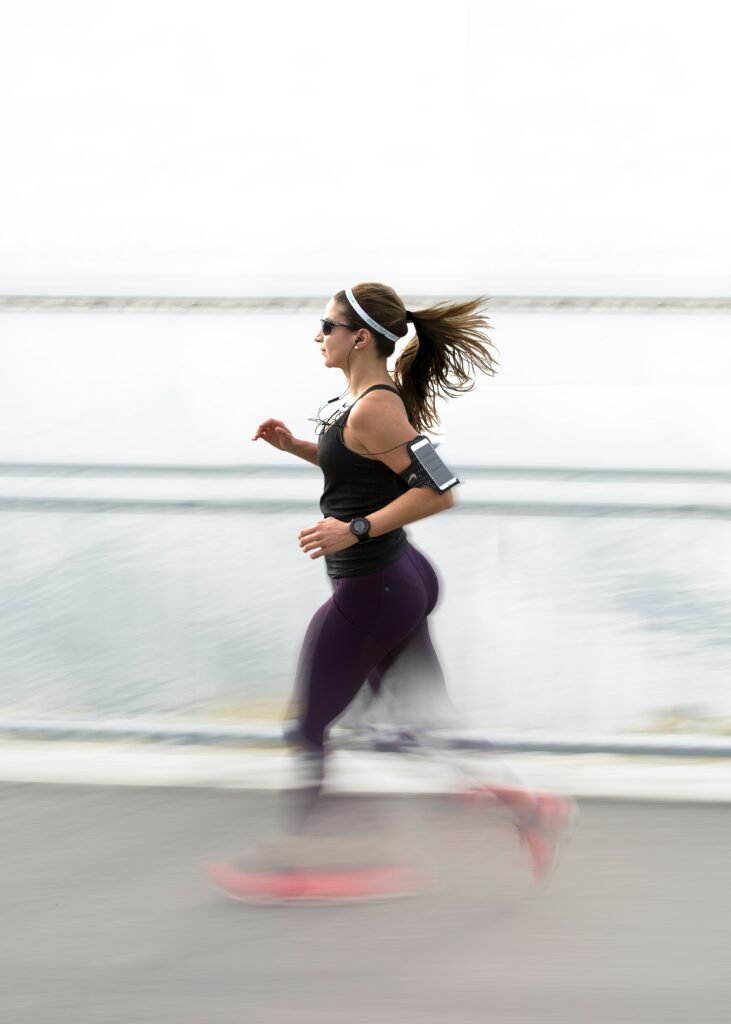
My 30-Minute Morning Run
A typical short run for me lasted around 30 minutes.
After finishing, Samsung Health showed details such as:
- Location
- Date
- Time
- Duration
- Distance
- Average pace or speed
- Calories burned
And I loved seeing all of it.
You finish your workout tired and sweaty, then look at your phone and think:
“Okay, I actually did something today.” 😂
That feeling alone can be motivating.
The Together Page
The Together feature was another interesting part of Samsung Health.
Instead of focusing only on your own progress, it allowed users to compare certain activity metrics with friends and participate in challenges.
For people who enjoy a little friendly competition, this can be motivating.
You can turn your daily steps into a little game.
Who walked more?
Who reached their goal?
Who was more consistent?
For me, though, I didn’t take the competition too seriously.
Sometimes I checked it.
Sometimes I ignored it.
And that’s okay too. 😄
Compatible Accessories
Samsung Health can work with a range of compatible devices and accessories, depending on the feature and region.
These may include:
- Galaxy Watch
- Galaxy Ring
- Galaxy Fit
- Compatible scales
- Other supported health devices
Samsung’s current platform is increasingly designed around connected Galaxy devices, allowing data from compatible watches and rings to contribute to activity, sleep, body composition, heart-health, and other wellness insights.
My Samsung Galaxy Fit Band
At the time I wrote the original article, I was using a Samsung Galaxy Fit band.
I wore it almost 24/7 and only removed it when it needed charging.
I liked it because it was:
- Lightweight
- Comfortable
- Convenient
- Easy to wear all day
Most importantly, it made health tracking almost automatic.
I didn’t need to remember to count my steps.
I didn’t need to write down every run.
I could simply wear the band and let the system record my activity.
Of course, technology has moved forward since then, and Samsung now offers newer Galaxy Watch and Galaxy Ring devices with considerably more advanced tracking.
More Than Just a Step Counter
The more I used Samsung Health, the more I realized that it wasn’t simply about counting steps.
It was about awareness.
If I wasn’t moving enough, the numbers showed it.
If I was sleeping poorly, I could see the pattern.
If I stopped exercising for several days, my history made it obvious.
And when I did something consistently, I could see that too.
That’s what I liked most.
The app didn’t magically make me healthy.
It simply made my habits more visible.
And sometimes, that’s enough to make you change them.
So, Is Samsung Health Worth Using?
For me?
Absolutely.
Especially if you already use a Samsung Galaxy phone or compatible wearable.
The basic app can be useful even without purchasing an expensive smartwatch or fitness tracker, while compatible devices can add more detailed measurements and insights. Samsung currently offers Samsung Health for Android through Galaxy Store and Google Play, although availability of individual features varies by device and region.
And that’s important because you don’t need to buy every accessory advertised by the app.
Start with what you already have.
Use the basic activity tracking.
Set a realistic walking or running goal.
See how you progress.
Then decide whether you actually need additional devices.
A Word From the Author
I personally loved using Samsung Health whenever I went for my morning run or even for a simple walk.
Because I usually exercised alone, the app almost felt like a little companion.
It gave me information.
It kept me accountable.
And sometimes, it gave me the extra motivation I needed to finish my workout.
Running can become repetitive.
You go forward.
You sweat.
You breathe heavily.
You get tired.
And you keep going.
But having a target and being able to see your progress can make the experience more rewarding.
Technology isn’t a replacement for discipline.
But when used properly, it can be a useful tool to support it.
“The secret of getting ahead is getting started.”
— Mark Twain
“Do you not know that your bodies are temples of the Holy Spirit, who is in you?”
— 1 Corinthians 6:19
My morning runs weren’t always perfect.
Some mornings I didn’t feel like getting out of bed.
Some days I was slower.
Some days I ran farther.
Some days I simply walked.
And that’s okay.
Fitness doesn’t have to mean pushing yourself to your absolute limit every single day.
Sometimes it means simply showing up.
Put on your shoes.
Step outside.
Take the first few steps.
Let the rest follow.
That’s why I appreciated Samsung Health.
It didn’t make me run.
I did that myself.
But it gave me a way to record the effort.
It allowed me to look back and say:
“I did this.”
And maybe that’s what makes health apps useful, not the numbers themselves, but the awareness they create.
Today, Samsung Health has become much more sophisticated than the version I used when I wrote this original article, with personalized insights, sleep coaching, connected health data, mindfulness features, and newer AI-powered guidance being added over time.
But the basic idea remains the same:
Take care of yourself. Pay attention to your habits. Keep moving. And celebrate every small improvement.
You don’t have to run a marathon.
You don’t have to hit 10,000 steps every day.
You don’t need the latest smartwatch.
You just need to start somewhere.
And sometimes, a simple morning run is enough to remind you that you’re capable of doing more than you thought.
One step at a time. One run at a time. One healthier day at a time. ❤️

Sources
- https://www.samsung.com/fi/apps/samsung-health
- https://www.samsung.com/us/apps/samsung-health
- https://www.samsung.com/us/support/owners/app/samsung-health
- https://news.samsung.com/global/samsung-introduces-next-gen-galaxy-watch-features-for-ai-powered-everyday-health-companion
- https://news.samsung.com/us/samsung-launches-health-assistant-beta-first-fully-integrated-ai-powered-assistant
Related Posts
8 Health Benefits of a Daily 30-Minute Exercise
Major Health and Fitness Benefits of Strength Training
Exercise During Period: Benefits, Tips and Things to Avoid
Please note: Samsung Health is intended for fitness and wellness purposes and isn’t intended to diagnose, treat, cure, or prevent disease.
- Visiting Puijo Tower in Kuopio, Finland: Our Family Experience
- Exploring Helsinki, Finland: 11 Places We Visited
- From Finland to Stockholm, Sweden: Our First Family Ferry Cruise
- From Finland to Nordkapp, Norway: Our Road Trip to the North Cape
- From Finland to Alicante, Spain: Beaches, Food and Places We Love
Originally Published: May 12, 2020
Updated: August 2026



I love the detailed info and the breakdown of how the app is used!
Thank you Zen! Hope it helps to motivate you more on pursuing health and wellness.
Thank you for this informative post! I recently switched to a samsung from an iphone and I was looking for a new health app to keep me on track with my fitness goals. This app is perfect, thank you for sharing so many details with us!
You’re welcome Cynthia! Indeed, Samsung has a lot to offer especially when it comes to physical health. It can help us with lots of things. Hope this post helps you with it. Good luck on your goal of health and wellness!
Nice review! I have been using pedometers everytime i travel. I remember my Japan trip, my pedometer recorded 25,000 steps lol
What?? That’s hilarious Paolo! You should have enjoyed walking..ha ha
During working days, mine will never exceed 20k, it should be around 10k to 14k especially when I run on a treadmill at night.
This is great information. I have an iphone and I know it has similar features but I haven’t really looked at them. You are right that I should be taking advantage of it because it really is an important feature.
Indeed Marie! It would be really helpful especially that we are always using and carrying our phones all the time. Might as well use it to track our health.
this is a great app helping you track your stats and goals. This makes me miss running. I had an injury early this year and covid is very timely as well because it gives way to my recovery… great review, btw!
Thank you littlemissadvencha! Happy to share helpful information on health and wellness especially when it comes to keeping track of our health goals.
What a good way to track your progress.
Indeed Katlyn, hope you would be able to benefit from it too!
This is a great review and I really find that tracking my fitness and health really motivates me!
That’s right Victoria! This app made me feel health motivated too. Hope it does the same to you! Good luck to our road to health and wellness.
wow. this is such a very thorough and detailed post. i love that you chose to use graphics and screenshots to support your post for those of us who don’t know much about samsung.
Thank you Joy Michelle! Showing pictures is such a great way to define this mobile application and to be understood easily. Thank you for taking time to read our post, hope it could help on the attainment of your healh goals.
Ooo this looks really useful, as more people are working out and exercising during lockdown, so will be checking this out
Absolutely! This such a great time to make the most out of this mobile application. Hope it would be useful for you too!
I did not know that samsung had a health app but it really looks lovely.
If my memory serves me right, this application is on default, means it was already installed to your Samsung phone once you buy one. If not, it is downloadable from Play Store.
Wow! I didn’t know Samsung Health App exists! It’s really helpful especially for those health conscious people.
Indeed Emmanuel! It is very beneficial when it comes to monitoring our health on a daily basis.
It really looks like an awesome app but I have an Iphone do you think it would work with it?
Hi Steven, I’m not sure which app is its equivalent with iPhone, but from what I’ve heard, there is one app with the same features. Hope you would be able to find it, I’m really interested to know about it too!
These are some excellent tips for using the app that I can put to great use right away!
Glad to hear that Lavern! Hope you would be able to fully utilize it on keeping track of your health goals.
I didn’t know that it was such a great app. Now that I know, I will surely use it.
Happy to hear that Nilakshi! Hope you would be able to fully utilize it on monitoring your health.
The health apps are amazing. I use google fit for my walks, bike rides and yoga. It has an alarm to warn me that is time for my training. Very usefull
Thank you for sharing your experience Marta! I think you are discussing Galaxy Fit, and yes, this smart watch/band is really useful. It also gives an alarm when it’s to move or be active.
I have this app on my Samsung phone before until it got stolen. I miss using this app.
Oh, that is very unfortunate to hear Magz. It’s still possible to be healthy without this app. You may take down notes about your activities and training schedule instead.
What a colorful and multi-functional app with so many functions! Thanks a lot for the detailed guide and I look forward to try it myself! – Knycx Journeying
Sounds great Kenny! Hope you would be able to benefit from its features too! Good luck, we would love to hear from your experience too!
Honestly, this is my very first time to learn that Samsung Health App. I haven’t heard yet of its benefits. This is such a great post. Thanks for letting me know this app. I should definitely try this app too for better health.
Interesting right? First, I have never thought that I would be able to benefit from such an app. Hence, it has been very beneficial for me on my daily exercises and training. Hope it would be beneficial for you too! Good luck on your road to health and wellness!
I love this! I also have a Samsung phone, but I am using another app. Im gonna give this one a try!
That’s interesting! Hope to know which app you are using right now, would love to try it as well.
I have an iphone and use that app. however this app seems like it does alot. Always good to be in touch with our health.
Absolutely right! It feels great to be able to monitor and keep track of our health.
This Samsung healthy app sounds nice I have this on my Iphone too it’s so important to take care our health.
Nice to hear Maysz! Hope you would be able to benefit from this app too.
Uhhh. I read below me that I can get it on my iphone? I’m going to be checking it out soon!!
I’m unaware that this feature may be present in iPhone too! Please check and let me know if it’s good too!
Wow very helpful information, i’m downloading the app now!
Sounds great Vanessa! Good luck to your road to health and wellness.
Oh, my God! Oh, great! I can’t stop shaking👇🏻👇🏻
http://g.RUNHAI.ME/a94702HW